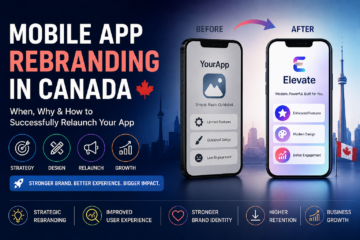
Mobile App Rebranding Canada: Complete Relaunch Strategy Guide (2026)

In Canada’s competitive digital market, launching an app is only the beginning. As user expectations evolve and competition increases, many businesses realize their app branding no longer reflects their growth, audience, or market positioning.

That’s where mobile app rebranding in Canada becomes a strategic move—not just a design update.

Whether you’re a startup pivoting your product or an enterprise modernizing your identity, this guide explains when to rebrand, how to do it properly, and how to relaunch without losing users.


What Is Mobile App Rebranding?

Mobile app rebranding involves changing elements of your app’s identity, including:

  • App name
  • Logo & visual identity
  • UI/UX design
  • Brand messaging
  • Target positioning
  • App Store presence

It can range from a minor refresh to a complete repositioning strategy.

Rebranding is not just cosmetic—it’s strategic.


Why Businesses in Canada Rebrand Their Apps

1. Market Repositioning

You may have shifted your audience, pricing model, or industry focus.

Example:
A B2C productivity app repositioning itself as a B2B SaaS tool.


2. Poor User Engagement

Low downloads, retention issues, or declining ratings often signal branding mismatch.


3. Mergers & Acquisitions

If your company merges or gets acquired, branding alignment becomes necessary.


4. Expansion Across Canada

Launching in bilingual markets (English & French) may require localization and brand adjustments.


5. Outdated Design

If your UI feels old compared to competitors, user trust declines.


When Should You Consider App Rebranding?

You should evaluate rebranding if:

  • Your growth has stalled
  • App Store conversion rates are dropping
  • Your brand no longer reflects your value
  • You’ve pivoted your product model
  • Your visual identity feels outdated
  • Negative reviews mention confusion or usability

Rebranding at the right time can revive app downloads and engagement.


Types of App Rebranding

1. Visual Refresh

  • Logo redesign
  • UI color updates
  • Modern typography

Low risk, ideal for established apps.


2. Strategic Repositioning

  • Target new audience
  • Change pricing model
  • Update messaging

Medium to high complexity.


3. Full Rebrand

  • New name
  • New logo
  • New UX
  • New positioning

High impact and requires careful rollout.


Step-by-Step App Rebranding Strategy in Canada

Step 1: Brand Audit

Analyze:

  • Current user feedback
  • Competitor positioning
  • Market trends
  • Retention metrics

Step 2: Define New Positioning

Clarify:

  • Who is your new target audience?
  • What problem do you solve better than competitors?
  • What emotional message do you want to communicate?

Step 3: Update Visual Identity

This includes:

  • Logo
  • App icon
  • Screenshots
  • UI/UX improvements
  • Website updates

Consistency is critical across all platforms.


Step 4: Update App Store Optimization (ASO)

Rebranding affects:

  • App title
  • Keywords
  • Description
  • Screenshots
  • Preview videos

Careful keyword optimization ensures you don’t lose rankings during relaunch.


Step 5: Plan the Relaunch Campaign

Successful relaunch strategies include:

  • Email marketing to existing users
  • Social media announcement
  • PR outreach
  • Paid ads campaign
  • Influencer collaboration

A silent rebrand often fails. A strategic relaunch builds excitement.


Cost of Mobile App Rebranding in Canada

Costs vary depending on scope:

Rebranding TypeEstimated Cost (CAD)
Visual Refresh$5,000 – $15,000
Strategic Repositioning$15,000 – $40,000
Full Rebrand + Relaunch$40,000 – $100,000+

Cost factors:

  • UI/UX redesign
  • Brand strategy consultation
  • ASO updates
  • Marketing campaigns
  • Development changes

While it requires investment, successful rebranding can significantly increase downloads and retention.


Risks of App Rebranding (And How to Avoid Them)

Risk 1: Losing Existing Users

Solution: Communicate clearly and gradually introduce changes.

Risk 2: Drop in App Store Rankings

Solution: Maintain keyword continuity during title updates.

Risk 3: Confusing Brand Messaging

Solution: Align all touchpoints before launch.


How Rebranding Impacts SEO & ASO

Rebranding affects:

  • Website SEO
  • App Store rankings
  • Backlinks
  • Brand searches

Best practice:

  • Keep some recognizable brand elements
  • Redirect old URLs
  • Update schema and metadata
  • Monitor ranking fluctuations

App Rebranding Trends in Canada (2026)

  1. Minimalist app icons
  2. AI-personalized UI experiences
  3. Subscription-focused messaging
  4. Accessibility-first design (WCAG compliance)
  5. Bilingual branding for Canadian markets

Modern rebrands focus on clarity, trust, and usability.


Final Thoughts

Mobile app rebranding in Canada isn’t just about changing a logo—it’s about redefining how users perceive your product.

A strategic rebrand can:

  • Revive stalled growth
  • Increase downloads
  • Improve retention
  • Strengthen brand authority
  • Expand into new markets

If executed correctly, a rebrand can transform your app from “just another tool” into a market leader.
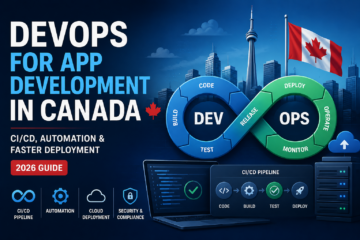

DevOps for App Development Canada 2026

Modern mobile and web applications demand speed, stability, and scalability. Traditional development methods—where development and operations work separately—often result in delays, deployment issues, and performance gaps.

This is where DevOps for app development in Canada is transforming how businesses build and deploy software. By combining development (Dev) and IT operations (Ops), companies can deliver applications faster, reduce errors, and scale efficiently.

In this 2026 guide, we’ll explore:

  • What DevOps means for app development
  • CI/CD pipelines explained
  • Automation tools used in Canada
  • Benefits, costs & implementation strategy
  • Why Canadian startups and enterprises are adopting DevOps

What Is DevOps in App Development?

DevOps is a collaborative methodology that integrates development and operations teams to improve deployment speed and product quality.

Instead of:

  • Long release cycles
  • Manual deployments
  • High failure rates

DevOps enables:

  • Continuous Integration (CI)
  • Continuous Delivery (CD)
  • Automated testing
  • Faster app deployment

For Canadian businesses, DevOps reduces time-to-market while maintaining security and compliance standards.


Why DevOps Matters for Canadian Businesses in 2026

Canada’s competitive tech ecosystem—especially in Toronto, Vancouver, and Montreal—requires rapid innovation. Businesses can no longer afford 6–12 month release cycles.

Here’s why DevOps is becoming essential:

1. Faster Time-to-Market

Automated pipelines allow apps to move from development to production quickly.

2. Improved App Stability

Continuous testing reduces bugs and crash rates.

3. Better Security & Compliance

Automated security checks help meet:

  • PIPEDA requirements
  • Healthcare compliance standards
  • Financial data regulations

4. Scalability for Growth

Cloud-based DevOps enables apps to scale seamlessly with increasing users.


Understanding CI/CD Pipeline in Canada

What Is CI (Continuous Integration)?

Developers frequently merge code into a shared repository. Automated tests run instantly to detect issues.

What Is CD (Continuous Delivery)?

Code that passes testing is automatically prepared for production deployment.

Together, CI/CD pipelines:

  • Reduce manual errors
  • Speed up release cycles
  • Improve software reliability
  • Enable multiple deployments per day

Popular DevOps Tools Used in Canada

Canadian app development teams commonly use:

Version Control

  • GitHub
  • GitLab
  • Bitbucket

CI/CD Tools

  • Jenkins
  • GitHub Actions
  • GitLab CI/CD

Cloud & Infrastructure

  • AWS
  • Microsoft Azure
  • Google Cloud

Containerization & Orchestration

  • Docker
  • Kubernetes

Monitoring & Logging

  • Datadog
  • New Relic
  • Prometheus

These tools help automate testing, deployment, monitoring, and scaling.


Benefits of DevOps for App Development

1. Faster App Deployment

Deploy features weekly or even daily.

2. Reduced Development Costs

Automation reduces manual work and operational overhead.

3. Improved Collaboration

Developers and operations teams work together instead of in silos.

4. Better Customer Experience

Faster bug fixes and updates improve retention.

5. Higher App Security

Automated vulnerability scans prevent security breaches.


DevOps Implementation Process in Canada

Here’s how Canadian businesses typically adopt DevOps:

Step 1: Assessment & Planning

  • Evaluate current workflows
  • Identify bottlenecks
  • Define automation goals

Step 2: Infrastructure Setup

  • Move to cloud-native architecture
  • Set up containerization

Step 3: Build CI/CD Pipeline

  • Automate testing
  • Configure deployment stages

Step 4: Monitoring & Optimization

  • Implement logging tools
  • Track performance metrics
  • Continuously improve

Cost of DevOps Services in Canada

DevOps implementation costs vary based on project size:

Project TypeEstimated Cost (CAD)
Startup App (Basic CI/CD)$5,000 – $15,000
Mid-Size App$15,000 – $40,000
Enterprise-Level Setup$40,000 – $100,000+

Factors affecting cost:

  • Cloud infrastructure
  • Tool licensing
  • Security integration
  • Team expertise

Though initial investment exists, DevOps significantly reduces long-term operational costs.


DevOps for Startups vs Enterprises

For Startups

  • Faster MVP launches
  • Rapid iteration
  • Lower failure risk

For Enterprises

  • Large-scale automation
  • Improved compliance
  • Stable multi-environment deployment

Both benefit from automation and scalability.


DevOps Trends in Canada for 2026

  1. AI-powered deployment monitoring
  2. DevSecOps (Security integrated into DevOps)
  3. Infrastructure as Code (IaC)
  4. Cloud-native microservices architecture
  5. Automated compliance testing

These trends are shaping the future of app development in Canada.


When Should You Invest in DevOps?

You should consider DevOps if:

  • Your app experiences frequent crashes
  • Deployment takes weeks
  • Scaling causes performance issues
  • Your team struggles with collaboration
  • You need faster feature releases

Final Thoughts

DevOps for app development in Canada is no longer optional—it’s a competitive necessity.

By integrating CI/CD pipelines, automation, and cloud infrastructure, businesses can:

  • Launch faster
  • Reduce costs
  • Improve app quality
  • Scale efficiently

Whether you’re a startup building an MVP or an enterprise modernizing legacy systems, DevOps can dramatically improve your app development lifecycle in 2026 and beyond.

App Development for AI Startups Canada (2026 Guide)

Canada has become a global hub for artificial intelligence innovation. Cities like Toronto, Montreal, and Vancouver are home to thriving AI ecosystems, research institutions, and venture-backed startups.

But building an AI idea is one thing. Turning it into a scalable mobile or web app is another.

This guide explains how AI startups in Canada can go from MVP to full-scale product — while managing cost, compliance, and performance in 2026.


Why Canada Is a Strong Market for AI Startups

Canada offers:

  • Strong AI research institutions
  • Government grants and funding programs
  • Access to skilled developers
  • Growing venture capital support
  • Supportive startup ecosystems

AI startups across healthcare, fintech, logistics, SaaS, and climate tech are rapidly scaling — but success depends on smart product development.


What Makes AI App Development Different?

AI apps are not traditional apps.

They involve:

  • Machine learning models
  • Large datasets
  • Real-time processing
  • Predictive analytics
  • Ongoing training and optimization

Unlike regular mobile apps, AI products evolve over time. That’s why architecture and scalability matter from day one.


Step 1: Start With a Lean AI MVP

Most AI startups fail because they overbuild too early.

Instead, focus on:

🎯 Define One Core Use Case

Example:

  • Fraud detection for fintech
  • Patient risk scoring in healthcare
  • Smart recommendation engine for e-commerce

🧠 Use Pre-Trained Models Initially

Instead of building models from scratch, consider:

  • Open-source ML models
  • API-based AI tools
  • Cloud AI services

This reduces development cost and speeds up launch.

📊 Validate With Real Users

AI models improve with real-world data. Launch early, collect feedback, refine continuously.


Step 2: Choose the Right Tech Stack

AI startup apps in Canada typically use:

Backend:

  • Python (for ML logic)
  • Node.js (API handling)
  • FastAPI or Django

Machine Learning:

  • TensorFlow
  • PyTorch
  • Scikit-learn

Cloud Infrastructure:

  • AWS
  • Google Cloud
  • Microsoft Azure

Frontend:

  • React Native (cross-platform)
  • Flutter
  • Native iOS & Android

Cloud-native architecture is highly recommended for AI scalability.


Step 3: Build Scalable Infrastructure From Day One

AI apps consume more computing power than regular apps.

Key considerations:

  • Cloud-based GPU support
  • Microservices architecture
  • API-first structure
  • Secure data pipelines
  • Scalable databases

Scalability ensures your AI startup can handle growth without major rebuilds.


Step 4: Data Privacy & Compliance in Canada

AI startups must comply with:

  • PIPEDA (data privacy law)
  • Provincial healthcare regulations (if applicable)
  • Financial compliance standards (for fintech)

AI apps often process sensitive user data. Proper encryption, consent management, and secure storage are critical.

Compliance mistakes can delay funding or partnerships.


Step 5: AI Model Optimization & Monitoring

AI apps are not “set and forget.”

You must:

  • Monitor model accuracy
  • Detect bias
  • Update training datasets
  • Track performance metrics
  • Improve response times

Ongoing optimization is part of the product lifecycle.


Common Challenges AI Startups Face

❌ High infrastructure costs
❌ Model accuracy issues
❌ Data scarcity
❌ Slow inference time
❌ Overcomplicated MVP
❌ Regulatory risks

Strategic planning reduces these risks significantly.


Cost of AI App Development in Canada (2026)

Costs vary depending on complexity.

Estimated ranges:

  • Basic AI MVP: $40,000 – $80,000
  • Mid-level AI product: $80,000 – $150,000
  • Advanced scalable AI platform: $150,000+

Factors affecting cost:

  • Data engineering complexity
  • Model customization
  • Cloud infrastructure
  • Security requirements
  • Compliance needs

Planning architecture correctly saves long-term costs.


Funding Options for AI Startups in Canada

AI startups may explore:

  • Government innovation grants
  • SR&ED tax incentives
  • Angel investors
  • Venture capital
  • Accelerators & incubators

Strong product validation increases funding chances.


From MVP to Scalable AI Product

Here’s a practical roadmap:

Phase 1 – MVP

  • Core AI feature
  • Limited user base
  • Basic cloud setup

Phase 2 – Optimization

  • Improve model accuracy
  • Enhance UI/UX
  • Strengthen data pipelines

Phase 3 – Scale

  • Add automation
  • Improve infrastructure
  • Expand features
  • Enter new markets

Scaling should be data-driven, not hype-driven.


Industries Where AI Startups Thrive in Canada

  • Healthcare AI
  • Fintech AI
  • SaaS automation tools
  • Smart logistics
  • EdTech platforms
  • Climate & sustainability tech

AI-driven innovation is becoming central to Canada’s digital economy.


Future of AI Startup App Development in Canada (2026 & Beyond)

Expect:

  • Increased AI regulation
  • Stronger data governance rules
  • Greater demand for explainable AI
  • Growth in AI-powered SaaS platforms
  • More government-backed innovation funding

AI startups that combine strong tech architecture with regulatory awareness will dominate the market.


FAQs

Is Canada good for launching an AI startup?

Yes. Canada has strong AI research institutions, funding programs, and tech ecosystems.

How long does it take to build an AI MVP?

Typically 3–6 months depending on complexity.

Should AI startups build custom ML models?

Not always. Many startups begin with pre-trained models to reduce cost and speed up launch.

Is AI app development more expensive than traditional app development?

Yes, due to data engineering, model training, and cloud infrastructure requirements.

Final Thoughts

App development for AI startups in Canada requires more than coding — it requires strategic planning, scalable architecture, compliance awareness, and long-term optimization.

Start lean, validate fast, build scalable, and prioritize data governance.

AI startups that combine innovation with structured product development will lead Canada’s digital transformation in 2026.

App Localization Canada: Bilingual English & French Guide

Canada is officially bilingual — and your mobile app should be too.

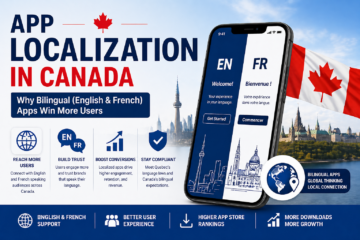
If your app is only available in English, you may be missing a massive segment of the Canadian market, especially in Quebec. App localization in Canada is not just translation — it’s about adapting your app culturally, linguistically, and strategically to connect with more users.

In this 2026 guide, we’ll explain why bilingual and multilingual apps outperform single-language apps in Canada — and how your business can implement localization the right way.


What Is App Localization?

App localization goes beyond direct translation.

It includes:

  • Language translation (English ↔ French)
  • Cultural adaptation
  • Date, currency & measurement formats
  • UI/UX adjustments
  • Legal compliance updates
  • Local marketing messaging

Localization ensures your app feels “native” to Canadian users — not imported.


Why App Localization Is Critical in Canada

🇨🇦 1. Canada Has Two Official Languages

English and French are both official languages at the federal level.

Quebec primarily operates in French, and many businesses must comply with French language requirements. If your app is not localized, you may face adoption barriers in Quebec’s strong consumer market.


📈 2. Bilingual Apps Increase User Trust

Users are more likely to:

  • Download apps in their native language
  • Complete purchases
  • Trust brands
  • Leave positive reviews

Language familiarity improves onboarding, retention, and conversions.


🛒 3. Higher Conversion Rates in Quebec

Research consistently shows users convert better when interacting in their primary language.

If you’re targeting:

  • E-commerce
  • Fintech
  • Healthcare
  • Education
  • SaaS platforms

French localization can significantly increase engagement and revenue.


English vs French App Strategy in Canada

Here’s how Canadian app localization typically works:

RegionPrimary LanguageStrategy
OntarioEnglishDefault English version
QuebecFrenchFully localized French version
New BrunswickBilingualDual-language support
Rest of CanadaEnglish-dominantEnglish default with optional French

For national brands, bilingual apps are the safest and most scalable approach.


Key Elements of App Localization in Canada

1️⃣ Language Translation (Professional, Not Automated)

Avoid machine-only translation. Use professional French Canadian translators to ensure:

  • Correct terminology
  • Quebec French dialect accuracy
  • Natural user interface language

Canadian French differs from European French — this matters.


2️⃣ Cultural Adaptation

Localization includes:

  • Tone of voice adjustments
  • Region-specific references
  • Local holidays & promotions
  • Currency display (CAD formatting)
  • Date formats (YYYY-MM-DD variations)

3️⃣ UI/UX Adjustments

French text is often longer than English. Your app design must:

  • Support dynamic text expansion
  • Avoid layout breaking
  • Maintain readable font sizes
  • Adjust button widths

4️⃣ Legal & Compliance Considerations

Quebec has strict language laws under Bill 96. Businesses operating there may need:

  • French-first interfaces
  • French customer support
  • French legal documentation

Localization helps reduce legal risks.


Benefits of Bilingual Apps in Canada

✔ Larger Market Reach

Reach users in Quebec and bilingual regions.

✔ Higher App Store Rankings

Localized keywords improve visibility in Canadian App Store searches.

✔ Better Customer Experience

Users feel understood and valued.

✔ Increased Revenue

More downloads → More conversions → Higher retention.


Multilingual App Development: How It Works

Modern frameworks like:

  • React Native
  • Flutter
  • Native iOS & Android

Support internationalization (i18n) and localization (l10n) through language files.

Step-by-Step Process:

  1. Prepare app architecture for localization.
  2. Separate content from code.
  3. Translate text professionally.
  4. Implement language toggle.
  5. Test bilingual flows.
  6. Optimize localized App Store listings.

Localization should be integrated early — not added after launch.


App Store Localization in Canada

Don’t forget:

  • App Store description (English & French)
  • Screenshots in both languages
  • Localized keywords
  • French app previews

ASO (App Store Optimization) improves dramatically when apps support multiple languages.


Common Localization Mistakes to Avoid

❌ Using Google Translate only
❌ Ignoring Quebec French differences
❌ Not testing UI for text overflow
❌ Translating marketing copy but not legal content
❌ Forgetting push notifications & emails

Localization must be comprehensive.


Industries That Benefit Most from Localization

  • E-commerce apps
  • Banking & fintech apps
  • Healthcare apps
  • Government & public sector apps
  • SaaS platforms
  • Education apps

Any business targeting nationwide growth should consider bilingual support.


The Future of App Localization in Canada (2026 & Beyond)

By 2026:

  • French compliance requirements will become stricter.
  • Quebec’s digital economy will continue expanding.
  • AI-assisted translation tools will improve — but human review will remain critical.
  • Businesses with bilingual apps will dominate national visibility.

Localization is no longer optional for serious growth in Canada.


FAQs

Is app localization mandatory in Canada?

Not nationwide, but Quebec has strict French language requirements under Bill 96.

What’s the difference between translation and localization?

Translation converts text. Localization adapts the entire app experience culturally and technically.

How much does app localization cost in Canada?

Costs vary based on app size and content volume. Planning localization during development reduces long-term costs.

Should startups localize at MVP stage?

If targeting Quebec or nationwide users — yes, at least prepare the architecture for it.


Final Thoughts

App localization in Canada is a growth strategy — not just a technical task.

Bilingual apps build trust, improve conversions, and unlock Quebec’s powerful consumer market. If your business plans to scale across Canada in 2026, English-only apps will limit your potential.

Smart businesses design for localization from day one.

Mobile App Accessibility Canada: AODA & WCAG Guide (2026)

In 2026, mobile app accessibility in Canada is no longer optional — it’s a legal requirement and a competitive advantage.

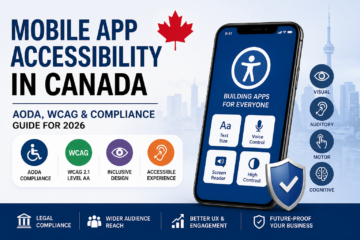
With increasing digital adoption across industries, Canadian businesses must ensure their mobile applications are accessible to users with disabilities. Compliance with AODA and WCAG guidelines not only helps avoid legal risks but also improves usability, expands your customer base, and strengthens your brand reputation.

This guide explains everything Canadian businesses need to know about accessible mobile apps, WCAG compliance, and AODA regulations.


Why App Accessibility Matters in Canada

Over 6 million Canadians live with some form of disability. That includes:

  • Visual impairments
  • Hearing loss
  • Motor disabilities
  • Cognitive limitations

If your mobile app is not accessible, you may be excluding a significant portion of your audience.

Accessibility improves:

  • User experience (UX)
  • App engagement
  • User retention
  • Brand trust
  • Legal compliance

For businesses targeting Ontario or public sector contracts, accessibility is especially critical due to strict AODA regulations.


What Is AODA?

AODA (Accessibility for Ontarians with Disabilities Act) is an Ontario law that aims to make the province fully accessible.

Under AODA:

  • Digital platforms (including mobile apps) must follow accessibility standards.
  • Organizations must ensure digital content is usable by people with disabilities.
  • Non-compliance can result in financial penalties.

Although AODA applies specifically to Ontario, many Canadian businesses adopt its standards nationwide to reduce legal risks.


What Is WCAG?

WCAG (Web Content Accessibility Guidelines) is the global accessibility standard created by the W3C.

Most Canadian accessibility laws reference WCAG 2.0 or WCAG 2.1 Level AA as the benchmark for compliance.

WCAG is built around four principles:

1. Perceivable

Users must be able to perceive content.

  • Text alternatives for images
  • Captions for videos
  • Sufficient color contrast

2. Operable

Users must be able to navigate the app.

  • Keyboard accessibility
  • Screen reader compatibility
  • No time-based limitations without control

3. Understandable

Content must be clear and predictable.

  • Simple language
  • Consistent navigation
  • Clear error messages

4. Robust

Apps must work with assistive technologies.

  • Compatible with screen readers
  • Works with accessibility tools across devices

Key Accessibility Features for Mobile Apps

To build accessible mobile apps in Canada, consider implementing:

✔ Screen Reader Compatibility

Support for VoiceOver (iOS) and TalkBack (Android).

✔ Adjustable Text Size

Allow users to increase font size without breaking layout.

✔ High Contrast Mode

Ensure color contrast ratio meets WCAG Level AA standards.

✔ Alternative Text for Images

All non-text content should have descriptive alt text.

✔ Accessible Forms

  • Clear labels
  • Error guidance
  • Logical tab order

✔ Voice Navigation Support

Helpful for users with motor impairments.


AODA & WCAG Compliance Checklist for 2026

Here’s a simplified compliance checklist:

  • Follow WCAG 2.1 Level AA standards
  • Test app with screen readers
  • Ensure minimum 4.5:1 color contrast ratio
  • Avoid flashing content
  • Make navigation consistent
  • Provide captions/transcripts for multimedia
  • Conduct accessibility testing before launch

Accessibility should be integrated from the design phase — not added later as a patch.


Risks of Ignoring App Accessibility in Canada

Failing to comply can lead to:

  • Legal penalties (especially in Ontario)
  • Government contract disqualification
  • Brand reputation damage
  • Loss of customers
  • Poor app store reviews

Beyond legal compliance, inaccessible apps often suffer from lower engagement and higher churn rates.


Benefits of Accessible Mobile Apps

Accessibility is not just about compliance — it’s smart business.

1. Larger Market Reach

Accessible apps serve seniors and users with temporary or permanent disabilities.

2. Better User Experience

Accessibility improvements benefit all users, not just those with disabilities.

3. Improved SEO & App Visibility

Structured content, alt text, and better UX can improve discoverability.

4. Higher Retention & Engagement

Apps that are easier to use naturally retain users longer.


How Canadian Businesses Can Implement Accessibility

Step 1: Conduct an Accessibility Audit

Identify gaps in design, development, and content.

Step 2: Redesign With Inclusive UX

Use inclusive design principles from the start.

Step 3: Implement Accessible Development Standards

Develop using accessibility-compliant UI components and semantic structures.

Step 4: Perform Accessibility Testing

Test with:

  • Real users with disabilities
  • Screen readers
  • Accessibility testing tools

Step 5: Continuous Monitoring

Accessibility is ongoing. Regular updates must maintain compliance.


Accessibility in iOS vs Android Apps

Both platforms offer built-in accessibility tools:

  • iOS: VoiceOver, Dynamic Type, Guided Access
  • Android: TalkBack, Select to Speak, Accessibility Menu

Developers should ensure compatibility across both ecosystems.


The Future of Mobile App Accessibility in Canada

By 2026 and beyond:

  • Accessibility standards will become stricter.
  • Government contracts will require documented compliance.
  • Users will expect inclusive digital experiences.
  • AI-powered accessibility features (like voice control and predictive text) will become standard.

Businesses that prioritize accessibility today will gain long-term competitive advantages.


FAQs

Is app accessibility mandatory in Canada?

It is mandatory in Ontario under AODA and increasingly required nationwide for public sector and large organizations.

What WCAG level is required in Canada?

WCAG 2.0 or 2.1 Level AA is generally required.

Does accessibility apply to mobile apps or just websites?

It applies to digital platforms, including mobile applications.

How much does accessibility implementation cost?

Costs vary based on app complexity, but integrating accessibility early is significantly cheaper than retrofitting later.


Final Thoughts

Mobile app accessibility in Canada is no longer optional. With AODA regulations, WCAG standards, and increasing user expectations, businesses must build inclusive digital experiences.

Accessible mobile apps are legally compliant, user-friendly, and future-ready.

If you’re planning to develop or upgrade your app in 2026, accessibility should be a core part of your strategy — not an afterthought.

SaaS Development Toronto: Cost, Architecture & Hiring Guide 2026

Toronto has become one of North America’s fastest-growing SaaS hubs. With a strong B2B ecosystem, AI talent pool, and access to enterprise clients, Toronto is an ideal location for building scalable cloud software products.

If you’re planning SaaS development in Toronto, this 2026 guide covers:

  • Development costs
  • SaaS architecture best practices
  • Tech stack recommendations
  • Timeline expectations
  • How to hire the right SaaS developers

Why Toronto Is a Strong SaaS Market

Toronto offers:

  • Access to enterprise and mid-market B2B clients
  • Strong cloud and AI developer talent
  • Startup incubators and VC ecosystem
  • Proximity to U.S. markets

Many Canadian startups choose Toronto to launch subscription-based platforms targeting global customers.


What Is SaaS Development?

SaaS (Software as a Service) is cloud-based software delivered via subscription. Instead of installing software locally, users access it through the web.

Common SaaS products include:

  • CRM platforms
  • Project management tools
  • HR & payroll systems
  • Accounting software
  • Marketing automation tools
  • Industry-specific B2B platforms

SaaS development focuses heavily on scalability, security, and recurring revenue models.


SaaS Development Cost in Toronto (2026)

Here’s a realistic cost estimate (CAD):

SaaS ComplexityEstimated CostTimeline
MVP (Core Features)$45,000 – $80,0003–5 months
Mid-Level SaaS Product$80,000 – $180,0005–9 months
Enterprise SaaS Platform$180,000 – $500,000+8–14 months

What Affects SaaS Development Cost?

  • Multi-tenant architecture
  • Cloud infrastructure setup
  • Security & compliance
  • Payment gateway integration
  • Admin dashboards
  • Third-party API integrations
  • AI-based features
  • DevOps & CI/CD setup

SaaS products require continuous development, not just one-time deployment.


SaaS Architecture Best Practices

Building SaaS software requires a solid architectural foundation.

1️⃣ Multi-Tenant Architecture

Allows multiple customers to use the same application securely.

2️⃣ Scalable Cloud Infrastructure

Use auto-scaling to handle traffic spikes.

3️⃣ Microservices Architecture

Improves flexibility and scalability.

4️⃣ Secure Data Isolation

Role-based access and encryption.

5️⃣ CI/CD Deployment Pipelines

For faster and safer updates.


Recommended Tech Stack for SaaS Development

Frontend

  • React.js
  • Next.js
  • Vue.js

Backend

  • Node.js
  • Python (Django / FastAPI)
  • Java (Spring Boot)

Database

  • PostgreSQL
  • MongoDB

Cloud & DevOps

  • AWS
  • Microsoft Azure
  • Google Cloud
  • Docker & Kubernetes

Payments & Billing

  • Stripe
  • Paddle
  • Recurring subscription management tools

Choosing the right stack depends on your target users and scalability requirements.


Development Timeline

Phase 1: Product Strategy & MVP Planning (3–4 weeks)

Define core features and subscription model.

Phase 2: UI/UX & Prototype (3–6 weeks)

Design dashboards and user flows.

Phase 3: Core Development (3–6 months)

Frontend, backend, APIs, and cloud setup.

Phase 4: Beta Testing (4–6 weeks)

Performance testing and security audits.

Phase 5: Launch & Continuous Improvement

Ongoing updates and feature expansion.


Hiring SaaS Developers in Toronto

You can choose between:

  1. Freelancers
  2. In-house development team
  3. SaaS development agency

For scalable SaaS products, agencies often provide:

  • Cloud architecture expertise
  • DevOps implementation
  • Security compliance
  • Long-term maintenance

What to Look for When Hiring

  • Experience building multi-tenant SaaS
  • Knowledge of cloud infrastructure
  • Subscription billing experience
  • Strong DevOps practices
  • B2B product development portfolio

SaaS is not just software—it’s a long-term subscription business model.


Common Mistakes in SaaS Development

  • Ignoring scalability early
  • Poor pricing model planning
  • Weak onboarding flow
  • Underestimating infrastructure costs
  • Skipping security architecture

Avoiding these mistakes can save thousands in future redevelopment.


Why Toronto Businesses Are Investing in SaaS

  • Recurring revenue model
  • Global market access
  • Lower distribution costs
  • Scalable infrastructure
  • Strong investor interest

Toronto’s ecosystem supports SaaS founders from MVP to enterprise scale.


Final Thoughts

SaaS development in Toronto offers significant opportunities in 2026 and beyond. However, success depends on:

  • Strong technical architecture
  • Scalable cloud infrastructure
  • Secure payment handling
  • Choosing experienced SaaS developers

A well-built SaaS product can generate recurring revenue and scale globally.

Healthcare App Development Vancouver: Cost & Compliance Guide 2026

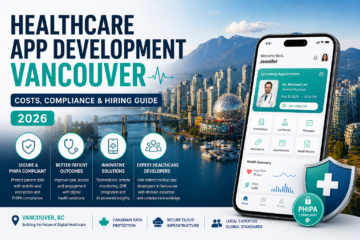
Healthcare is rapidly going digital in Vancouver. From telemedicine platforms to patient monitoring apps, healthcare providers across British Columbia are investing in secure and compliant mobile solutions.

If you’re planning healthcare app development in Vancouver, this complete 2026 guide covers:

  • Development costs
  • PHIPA & Canadian compliance requirements
  • Recommended tech stack
  • Timeline expectations
  • How to hire the right medical app developers

Why Vancouver Is Growing in Digital Health

Vancouver has a strong health-tech ecosystem supported by:

  • Public healthcare infrastructure in British Columbia
  • Health innovation accelerators
  • AI and biotech startups
  • Skilled mobile and backend developers

With increasing demand for remote care and patient engagement tools, healthcare apps are becoming essential—not optional.


Types of Healthcare Apps in Vancouver

Healthcare apps vary based on target users and complexity.

1️⃣ Telemedicine Apps

Video consultations, appointment scheduling, e-prescriptions.

2️⃣ Patient Monitoring Apps

Wearable integrations, chronic disease tracking, real-time alerts.

3️⃣ Hospital Management Systems

Internal staff coordination, EHR access, reporting dashboards.

4️⃣ Mental Health & Wellness Apps

Meditation, therapy booking, progress tracking.

5️⃣ Fitness & Preventive Care Apps

Activity tracking, diet planning, AI health recommendations.

Each type has different security, compliance, and infrastructure requirements.


Healthcare App Development Cost in Vancouver (2026)

Here’s a realistic cost estimate in CAD:

App ComplexityEstimated CostTimeline
Basic MVP$35,000 – $65,0003–5 months
Mid-Level App$65,000 – $140,0005–8 months
Enterprise Healthcare Platform$150,000 – $400,000+8–14 months

What Impacts the Cost?

  • PHIPA compliance implementation
  • Data encryption & hosting security
  • Integration with EHR/EMR systems
  • AI-based diagnostics features
  • Wearable device integrations
  • Cloud infrastructure & DevOps

Healthcare apps are more expensive than regular apps because of strict data privacy and regulatory requirements.


Compliance & Legal Requirements in BC

Healthcare apps in Vancouver must follow strict Canadian privacy laws.

Key Regulations:

  • PIPEDA – Federal privacy law
  • PHIPA – Personal Health Information Protection Act
  • Secure data storage in Canada (where required)
  • HIPAA (if serving US patients)

Non-compliance can result in heavy penalties and reputational damage.

Working with experienced medical app developers in Vancouver ensures security and compliance from day one.


Recommended Tech Stack for Healthcare Apps

Frontend

  • React Native (cross-platform)
  • Swift (iOS)
  • Kotlin (Android)

Backend

  • Node.js
  • Python (Django / FastAPI)
  • Java (Spring Boot)

Database

  • PostgreSQL
  • MongoDB (encrypted storage)

Cloud Hosting

  • AWS Canada Region
  • Microsoft Azure Canada

Security Features

  • End-to-end encryption
  • Role-based access control
  • Multi-factor authentication
  • Secure APIs
  • Audit logs

Security must be integrated at the architecture level—not added later.


Development Timeline

Phase 1: Discovery & Compliance Planning (3–4 weeks)

Requirement gathering, risk assessment, regulatory planning.

Phase 2: UI/UX Design (3–5 weeks)

HIPAA/PHIPA-compliant user flow design.

Phase 3: Development (4–8 months)

Frontend + backend + secure API integrations.

Phase 4: Testing & Security Audit (4–6 weeks)

Penetration testing, vulnerability assessment.

Phase 5: Deployment & Maintenance

Ongoing updates, monitoring, and compliance management.


Hiring Healthcare App Developers in Vancouver

You have three options:

  1. Freelancers
  2. In-house team
  3. Development agency

For healthcare projects, agencies with compliance experience are usually the safest choice.

What to Check Before Hiring:

  • Experience with PHIPA compliance
  • Portfolio of healthcare apps
  • Security certifications
  • Knowledge of BC healthcare infrastructure
  • Long-term support capability

Healthcare software requires continuous updates and security monitoring.


Why Compliance-First Development Matters

Healthcare data is extremely sensitive. A single breach can:

  • Lead to legal penalties
  • Destroy patient trust
  • Result in financial losses

That’s why compliance should be built into the app from the initial planning stage.


Final Thoughts

Healthcare app development in Vancouver offers strong growth potential in 2026 and beyond. However, success depends on:

  • Strong regulatory compliance
  • Secure architecture
  • Scalable cloud infrastructure
  • Choosing the right development partner

If done correctly, healthcare apps can improve patient care, reduce operational costs, and drive long-term innovation in British Columbia’s healthcare ecosystem.

Fintech App Development Toronto: Cost & Compliance Guide 2026

Toronto has become one of North America’s fastest-growing fintech ecosystems. With strong banking infrastructure, access to AI talent, and startup-friendly funding, the city is an ideal place to build secure and scalable financial applications.

If you’re planning to build a fintech app in Toronto, this guide covers:

  • Cost breakdown
  • Compliance & legal requirements
  • Recommended tech stack
  • Development timeline
  • Hiring options

Why Toronto Is a Fintech Hub

Toronto is home to major financial institutions, global banks, and one of the strongest AI research ecosystems in North America. The presence of leading universities and incubators makes it attractive for fintech startups and enterprises alike.

Key advantages:

  • Access to enterprise banking clients
  • Strong regulatory framework
  • Highly skilled mobile and backend developers
  • Growing startup ecosystem

Whether you’re building a digital wallet, investment app, lending platform, or neo-banking solution, Toronto provides both the tech talent and financial infrastructure.


Types of Fintech Apps in Toronto

  1. Digital Banking Apps
  2. Investment & Trading Apps
  3. Lending & BNPL Platforms
  4. Payment Gateway & Wallet Apps
  5. InsurTech Applications
  6. Crypto & Blockchain-Based Apps

Each category has different compliance and security requirements, which directly impact development cost.


Fintech App Development Cost in Toronto (2026)

Here’s a realistic pricing estimate:

App ComplexityEstimated Cost (CAD)Timeline
MVP (Basic features)$40,000 – $70,0003–5 months
Mid-Level Fintech App$70,000 – $150,0005–8 months
Enterprise-Grade Platform$150,000 – $350,000+8–14 months

What Affects the Cost?

  • Security architecture
  • Compliance requirements
  • Third-party integrations (payment APIs, KYC providers)
  • AI-based fraud detection
  • Cross-platform vs native development
  • Cloud infrastructure

Fintech apps cost more than standard apps because of encryption, compliance audits, and secure backend systems.


Compliance & Legal Requirements in Toronto

Financial apps must comply with Canadian regulations such as:

  • PIPEDA (data privacy law)
  • FINTRAC regulations (anti-money laundering)
  • PCI-DSS (for payment processing)
  • Strong user authentication (2FA, biometric login)

Failure to comply can result in heavy penalties.

Working with an experienced Toronto fintech development company ensures compliance from day one.


Recommended Tech Stack for Fintech Apps

Frontend

  • React Native / Flutter (cross-platform)
  • Swift (iOS)
  • Kotlin (Android)

Backend

  • Node.js
  • Python (Django / FastAPI)
  • Java (Spring Boot)

Database

  • PostgreSQL
  • MongoDB

Cloud & DevOps

  • AWS / Azure
  • CI/CD pipelines
  • Docker & Kubernetes

Security

  • End-to-end encryption
  • OAuth 2.0
  • Multi-factor authentication
  • AI-based fraud detection

Security should never be an afterthought in fintech development.


Development Timeline

Phase 1: Strategy & Compliance Planning (3–4 weeks)
Define regulatory needs, feature list, and architecture.

Phase 2: UI/UX & Prototyping (3–5 weeks)
Wireframes and secure design architecture.

Phase 3: Core Development (3–6 months)
Frontend + backend + API integration.

Phase 4: Security Testing & Compliance Audit (4–6 weeks)

Phase 5: Launch & Maintenance


Hiring Fintech App Developers in Toronto

You have three main options:

  1. Freelancers
  2. In-house team
  3. App development agency

For fintech projects, agencies are usually safer due to compliance experience and structured development processes.

When hiring, check for:

  • Previous fintech portfolio
  • Security certifications
  • Experience with Canadian compliance
  • Post-launch support services

How to Choose the Right Fintech App Development Partner

Before signing a contract, ask:

  • Do they understand FINTRAC & PIPEDA?
  • What security protocols do they implement?
  • How do they handle scalability?
  • Do they provide long-term maintenance?

A fintech app is not just a product — it’s a regulated financial platform.


Final Thoughts

Fintech app development in Toronto offers massive opportunities — but it requires the right balance of compliance, security, and scalable architecture.

If done correctly, a fintech app can:

  • Reduce operational costs
  • Improve customer experience
  • Generate recurring revenue
  • Strengthen brand trust

Choosing the right development strategy from the beginning will save both time and legal complications.

Government App Development Canada (2026 Guide)

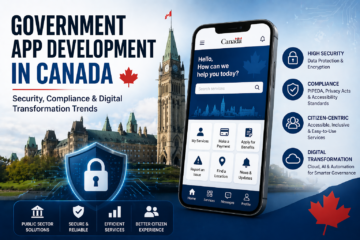
Digital transformation is no longer optional for public institutions. Across federal, provincial, and municipal levels, government app development in Canada is accelerating to improve citizen services, transparency, and operational efficiency.

From e-governance portals to mobile service apps and internal workflow systems, public sector software solutions are reshaping how Canadians interact with government services.

In this guide, we’ll explore:

  • Compliance and security requirements
  • Types of public sector apps
  • Development costs
  • Key challenges
  • Digital transformation trends
  • FAQs for government organizations

Why Government App Development Is Growing in Canada

Canadian public institutions are investing in:

  • Digital citizen services
  • Remote access to government programs
  • Secure data management systems
  • Automation of internal processes
  • AI-driven analytics for decision-making

Citizens now expect the same digital convenience from government services as they receive from private-sector apps.


Compliance & Regulatory Requirements for Public Sector Apps

Security and compliance are the foundation of any government software solution in Canada.

1. PIPEDA (Federal Privacy Law)

Apps handling personal information must comply with Canada’s federal privacy regulations.

2. Provincial Privacy Laws

Each province may have its own legislation governing public-sector data handling.

3. Data Residency Requirements

Many government systems require:

  • Canadian data hosting
  • Government-approved cloud providers
  • Strict data sovereignty compliance

4. Accessibility Standards

Government apps must meet accessibility requirements, including WCAG compliance to ensure equal access for all citizens.


Security Standards in Government App Development

Public sector apps must implement:

  • End-to-end encryption
  • Multi-factor authentication (MFA)
  • Role-based access control
  • Audit logs and monitoring
  • Secure APIs and backend infrastructure
  • Regular penetration testing

Security breaches in government systems can result in legal consequences and loss of public trust.


Types of Government Apps in Canada

1. Citizen Service Apps

  • License renewals
  • Tax filing portals
  • Benefits application systems
  • Healthcare service access

2. E-Governance Platforms

  • Public record access
  • Digital voting systems
  • Public consultation platforms

3. Internal Government Workflow Apps

  • HR management systems
  • Case tracking systems
  • Interdepartmental communication tools

4. Emergency & Public Safety Apps

  • Alert systems
  • Disaster response coordination
  • Public safety reporting tools

Cost of Government App Development in Canada (2026)

Government apps are typically more complex due to compliance and security requirements.

Estimated Cost Range (CAD):

Project TypeEstimated Cost
Basic public service app$60,000 – $120,000
Secure citizen portal$120,000 – $250,000
Large-scale enterprise system$250,000 – $500,000+

Key Cost Factors:

  • Security architecture
  • Regulatory compliance implementation
  • Cloud infrastructure
  • System integrations
  • Long-term maintenance & support

Public sector projects often include multi-year maintenance agreements.


Key Challenges in Public Sector App Development

Government organizations in Canada commonly face:

  • Complex procurement processes
  • Strict compliance requirements
  • Integration with legacy systems
  • Budget approval cycles
  • High public accountability

Working with experienced developers who understand public sector regulations is critical for project success.


Digital Transformation Trends in Canadian Government (2026)

1. Cloud-First Strategy

Many agencies are adopting secure cloud infrastructure for scalability and resilience.

2. AI & Automation

Governments are using AI for:

  • Fraud detection
  • Predictive analytics
  • Citizen support chatbots

3. Mobile-First Citizen Services

More services are being optimized for mobile access to increase accessibility and convenience.

4. Blockchain for Transparency

Some public institutions are exploring blockchain to improve transparency and record integrity.


Best Practices for Successful Government App Development

To ensure project success:

  • Conduct thorough security assessments
  • Prioritize compliance from the beginning
  • Use scalable architecture
  • Plan long-term maintenance
  • Implement user-centered design
  • Ensure accessibility compliance

Government apps must balance innovation with strict regulatory standards.


Final Thoughts

Government app development in Canada requires more than technical expertise. It demands:

  • Strong security frameworks
  • Deep regulatory knowledge
  • Transparent development processes
  • Long-term scalability planning

When executed correctly, public sector apps can enhance efficiency, improve citizen engagement, and modernize government services across the country.


Frequently Asked Questions (FAQs)

1. What is government app development in Canada?

Government app development in Canada refers to building secure digital platforms and mobile applications for federal, provincial, or municipal public sector services.


2. Are government apps required to store data in Canada?

In many cases, yes. Government systems often require Canadian data residency to comply with privacy and security regulations.


3. How secure must public sector apps be?

Government apps must implement high-level encryption, multi-factor authentication, audit logging, and compliance with federal and provincial privacy laws.


4. How long does it take to develop a government app?

Timelines range from 6 months for smaller projects to 12–24 months for large-scale enterprise systems due to procurement and compliance requirements.


5. What technologies are used in government software solutions?

Technologies may include secure cloud infrastructure, API-based architectures, AI tools, and scalable backend systems designed for high reliability.

Healthcare App Development Toronto: PHIPA & Cost Guide 2026

Toronto is one of Canada’s leading healthcare and technology hubs. With world-class hospitals, digital health startups, and growing investment in health innovation, demand for healthcare app development in Toronto is rising rapidly.

From telemedicine platforms to patient engagement apps and hospital management systems, healthcare software is transforming how care is delivered in Ontario.

In this guide, we’ll cover:

  • PHIPA compliance requirements
  • Healthcare app development costs in Toronto
  • Must-have features
  • How to hire the right medical app developers
  • FAQs for healthcare businesses

Why Toronto Is a Growing Hub for Healthcare App Development

Toronto combines:

  • A strong healthcare ecosystem (hospitals, clinics, research institutions)
  • Skilled mobile app developers
  • AI and data science talent
  • Government support for digital health innovation

Because healthcare is highly regulated, businesses prefer working with experienced medical app developers in Toronto who understand compliance, security, and patient data protection.


Understanding PHIPA Compliance in Ontario

If you are building a healthcare app in Toronto, compliance is not optional.

In Ontario, healthcare applications must comply with PHIPA (Personal Health Information Protection Act).

What PHIPA Requires:

  • Secure storage of personal health information (PHI)
  • Encryption of data in transit and at rest
  • Role-based access control
  • Audit logs and access tracking
  • Consent management

Failure to comply can result in heavy penalties and reputational damage.

PHIPA vs Other Regulations

Healthcare apps may also need to consider:

  • PIPEDA (federal privacy law)
  • HIPAA (if serving U.S. patients)

Working with a Toronto-based healthcare software development team ensures compliance is built into the architecture from day one.


Types of Healthcare Apps Built in Toronto

1. Telemedicine & Virtual Care Apps

  • Video consultations
  • E-prescriptions
  • Secure messaging
  • Appointment scheduling

2. Patient Engagement Apps

  • Medical record access
  • Test results tracking
  • Medication reminders
  • Wellness monitoring

3. Hospital & Clinic Management Systems

  • Staff dashboards
  • EMR integrations
  • Billing systems
  • Workflow automation

4. AI-Powered Health Applications

  • Predictive diagnostics
  • Symptom checkers
  • Remote monitoring with IoT
  • Health analytics dashboards

Toronto’s growing AI ecosystem makes it ideal for advanced healthcare software development.


Healthcare App Development Cost in Toronto (2026)

The cost of healthcare app development in Toronto depends on complexity, compliance, integrations, and security requirements.

Estimated Cost Range:

App TypeEstimated Cost (CAD)
Basic healthcare app$40,000 – $70,000
Telemedicine platform$70,000 – $150,000
Advanced AI healthcare system$150,000 – $300,000+

Factors That Affect Cost:

  • PHIPA compliance implementation
  • Data encryption & security layers
  • Third-party integrations (EMR, payment gateways)
  • AI/ML features
  • Ongoing maintenance & support

Healthcare apps typically cost more than standard mobile apps due to strict compliance and security requirements.


Must-Have Features for Healthcare Apps in Toronto

To succeed in Ontario’s healthcare market, your app should include:

  • End-to-end encryption
  • Secure authentication (MFA/biometric)
  • Role-based access controls
  • Audit trails
  • Cloud hosting with Canadian data centers
  • Scalable backend architecture

Security and privacy are non-negotiable in healthcare software.


How to Hire the Right Medical App Developers in Toronto

Choosing the right development partner is critical.

1. Check Healthcare Experience

Ensure the company has prior experience building healthcare or HIPAA/PHIPA-compliant apps.

2. Review Security Practices

Ask about:

  • Encryption standards
  • Compliance documentation
  • Secure development lifecycle

3. Evaluate Technical Expertise

Look for teams skilled in:

  • iOS & Android development
  • Cloud infrastructure (AWS, Azure)
  • API integrations
  • AI/ML capabilities

4. Understand Their Maintenance Plan

Healthcare apps require ongoing updates, compliance monitoring, and performance optimization.


Common Challenges in Healthcare App Development

Healthcare businesses in Toronto often face:

  • Regulatory complexity
  • Long approval cycles
  • Integration with legacy hospital systems
  • High security expectations
  • Budget constraints

An experienced healthcare software development company helps navigate these challenges efficiently.


Future of Healthcare App Development in Toronto (2026 & Beyond)

Emerging trends include:

  • AI-powered diagnostics
  • Remote patient monitoring
  • Wearable device integration
  • Blockchain for health records
  • Personalized medicine apps

Toronto’s combination of healthcare expertise and AI innovation positions it as a leader in digital health transformation.


Final Thoughts

Healthcare app development in Toronto requires more than just coding skills. It demands:

  • Deep compliance knowledge
  • Strong security infrastructure
  • Industry-specific experience
  • Scalable architecture

If built correctly, healthcare apps can improve patient outcomes, streamline operations, and unlock long-term digital transformation opportunities.


Frequently Asked Questions (FAQs)

1. How much does healthcare app development cost in Toronto?

Costs typically range from $40,000 to $300,000+ depending on complexity, security requirements, and integrations.


2. Is PHIPA compliance mandatory for healthcare apps in Ontario?

Yes. Any app handling personal health information in Ontario must comply with PHIPA regulations.


3. How long does it take to build a healthcare app?

A basic healthcare app may take 4–6 months, while advanced telemedicine or AI-based apps can take 6–12 months.


4. Can Toronto healthcare apps serve U.S. patients?

Yes, but they must comply with HIPAA in addition to PHIPA if serving U.S. users.


5. What security features are required in healthcare apps?

Essential features include encryption, multi-factor authentication, audit logs, secure cloud hosting, and access controls.