
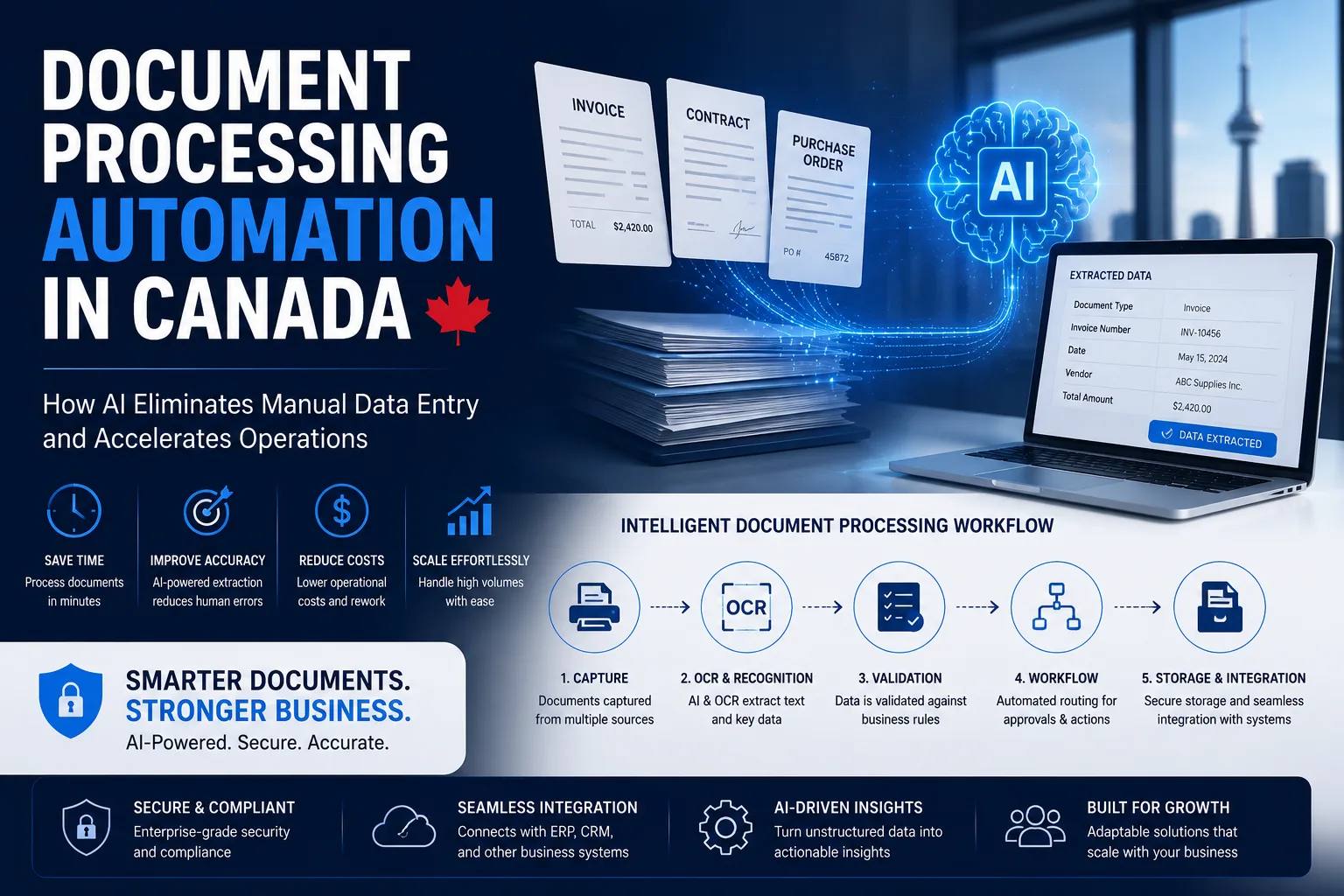
Document Processing Automation in Canada: AI & OCR Guide
Every business runs on documents.
Invoices, contracts, purchase orders, insurance claims, onboarding forms, compliance records, financial statements, customer applications, and countless other documents drive day-to-day operations. Yet many organizations across Canada still rely on manual data entry and document handling processes that consume valuable time and resources.
Employees often spend hours reviewing documents, extracting information, entering data into systems, and verifying accuracy. These repetitive tasks slow operations, increase costs, and create opportunities for human error.
This is where document processing automation is transforming modern businesses.
Powered by Artificial Intelligence (AI), Optical Character Recognition (OCR), machine learning, and workflow automation, modern document processing systems can automatically capture, extract, validate, and process information from documents with minimal human intervention.
In this guide, we’ll explore how document processing automation works, its benefits, implementation strategies, costs, and why Canadian businesses are rapidly adopting AI-powered document workflows.
What Is Document Processing Automation?
Document processing automation is the use of AI and intelligent technologies to automatically extract, classify, validate, and route information from documents.
Instead of manually reading documents and entering data into business systems, AI-powered solutions perform these tasks automatically.
Modern document processing solutions can handle:
- Invoices
- Contracts
- Purchase orders
- Tax documents
- Customer applications
- Medical records
- Insurance claims
- Employee forms
- Shipping documents
- Compliance reports
The goal is simple:
Reduce manual work while improving speed, accuracy, and scalability.
Why Traditional Document Processing Is Inefficient
Many organizations still depend on manual workflows that involve:
- Reading documents
- Extracting information
- Copying data into systems
- Verifying entries
- Routing documents for approval
These processes create several challenges.
High Labor Costs
Employees spend significant time performing repetitive administrative tasks.
Human Errors
Manual data entry often leads to mistakes that impact reporting, compliance, and customer experiences.
Slow Processing Times
Document bottlenecks delay approvals, payments, and operational workflows.
Limited Scalability
As document volumes grow, organizations require additional staff to keep up with demand.
Poor Visibility
Manual workflows make it difficult to track document status and performance metrics.
How AI-Powered Document Processing Works
Modern document automation combines several technologies to process information intelligently.
Step 1: Document Capture
Documents are collected from various sources such as:
- Cloud storage
- Scanners
- Mobile devices
- Enterprise applications
The system automatically imports and organizes incoming documents.
Step 2: OCR Processing
Optical Character Recognition (OCR) converts scanned images and PDFs into machine-readable text.
This enables AI systems to understand document contents.
Examples include:
- Printed invoices
- Contracts
- Receipts
- Forms
Step 3: Data Extraction
AI identifies and extracts critical information such as:
- Invoice numbers
- Customer names
- Payment terms
- Dates
- Addresses
- Contract clauses
- Purchase order details
No manual input is required.
Step 4: Validation
Business rules verify extracted information against:
- ERP systems
- CRM platforms
- Databases
- Accounting software
Errors and exceptions are automatically flagged.
Step 5: Workflow Automation
Validated documents are routed through predefined workflows.
Examples include:
- Approval chains
- Payment processing
- Compliance reviews
- Customer onboarding
Step 6: Storage and Reporting
Processed documents are securely archived and made searchable for future use.
Organizations gain complete visibility into document workflows.
Key Benefits of Document Processing Automation
Significant Cost Reduction
Organizations reduce administrative workloads and operational expenses.
Employees can focus on higher-value activities instead of repetitive data entry.
Improved Accuracy
AI-powered systems eliminate many common human errors.
This improves data quality and decision-making.
Faster Processing Times
Tasks that previously required hours or days can often be completed within minutes.
Better Compliance
Automated workflows ensure consistent document handling and audit trails.
Increased Productivity
Teams spend less time managing paperwork and more time driving business outcomes.
Scalability
Businesses can process growing document volumes without significantly increasing headcount.
Common Business Use Cases
Invoice Processing Automation
Finance teams automate:
- Invoice capture
- Data extraction
- Validation
- Approval routing
- Payment workflows
Benefits include faster accounts payable operations and reduced processing costs.
Contract Management
Legal departments automate:
- Contract classification
- Clause extraction
- Renewal tracking
- Compliance monitoring
This improves efficiency and reduces legal risks.
Customer Onboarding
Organizations automate:
- Application review
- Identity verification
- Document validation
- Approval workflows
This creates a faster onboarding experience.
Insurance Claims Processing
Insurance providers use AI to:
- Extract claim information
- Validate documentation
- Route cases automatically
This accelerates claims resolution.
Healthcare Documentation
Healthcare organizations process:
- Patient records
- Insurance forms
- Medical documentation
- Compliance paperwork
while maintaining regulatory requirements.
Industries Adopting Document Automation in Canada
Document processing automation is rapidly expanding across industries.
Financial Services
Banks and financial institutions automate document-intensive workflows.
Healthcare
Hospitals and healthcare providers reduce administrative burdens through AI-powered processing.
Manufacturing
Manufacturers automate:
- Purchase orders
- Supplier documentation
- Quality reports
- Compliance records
Logistics and Supply Chain
Companies streamline shipping and inventory documentation.
Legal Services
Law firms automate contract review and document analysis.
Government Organizations
Public-sector agencies improve operational efficiency while maintaining compliance.
AI, OCR, and Intelligent Document Processing (IDP)
Many organizations confuse OCR with Intelligent Document Processing (IDP).
The difference is significant.
Traditional OCR
OCR converts images into text.
It does not understand document context.
Intelligent Document Processing
IDP combines:
- OCR
- Artificial Intelligence
- Machine Learning
- Natural Language Processing
- Workflow Automation
The result is a system that not only reads documents but also understands and acts on the information.
This enables end-to-end automation.
Security and Compliance Considerations
Document processing often involves sensitive business information.
Organizations should prioritize:
Data Encryption
Protect information during storage and transmission.
Access Controls
Ensure only authorized users can access documents.
Audit Trails
Maintain visibility into document handling activities.
Regulatory Compliance
Organizations should align with:
- PIPEDA
- PHIPA
- Industry-specific regulations
Secure Cloud Infrastructure
Cloud environments should follow modern security standards.
How Much Does Document Processing Automation Cost in Canada?
Implementation costs vary depending on complexity and document volume.
Basic Automation Solution
Suitable for small businesses.
Estimated Cost: CAD $10,000 – $25,000
Mid-Sized Business Solution
Includes integrations and workflow automation.
Estimated Cost: CAD $25,000 – $75,000
Enterprise Intelligent Document Processing Platform
Includes advanced AI, integrations, governance, and analytics.
Estimated Cost: CAD $75,000 – $250,000+
Factors affecting cost include:
- Document volume
- Number of integrations
- Workflow complexity
- Security requirements
- Custom AI models
Best Practices for Successful Implementation
Organizations achieve the best results when they:
Start with High-Volume Processes
Focus on workflows that consume significant manual effort.
Prioritize Data Quality
Clean and structured data improves automation accuracy.
Integrate Existing Systems
Ensure automation connects with ERP, CRM, and business applications.
Establish Governance Policies
Define security, compliance, and data management standards.
Measure Performance Metrics
Track:
- Processing time
- Error rates
- Cost savings
- Employee productivity
- ROI
The Future of Document Processing Automation
As AI capabilities continue to advance, document processing is evolving from simple automation to intelligent decision-making.
Future systems will:
- Understand context more accurately
- Process unstructured documents
- Support autonomous workflows
- Integrate seamlessly with AI assistants
- Enable real-time business intelligence
Organizations that adopt intelligent document processing today will gain significant operational advantages in the coming years.
Conclusion
Document processing automation is helping Canadian businesses eliminate manual data entry, reduce operational costs, improve accuracy, and accelerate workflows.
By combining AI, OCR, and workflow automation, organizations can transform document-heavy processes into efficient, scalable operations.
Whether processing invoices, contracts, claims, onboarding documents, or compliance records, intelligent automation enables teams to work faster while maintaining accuracy and security.
For businesses looking to improve efficiency and prepare for future growth, document processing automation is no longer a luxury, it is becoming a competitive necessity.
Categories: Uncategorized
Have a project in mind?
Let's talk about how we can build it. Free consultation, no obligation.
Get a Free Consultation