
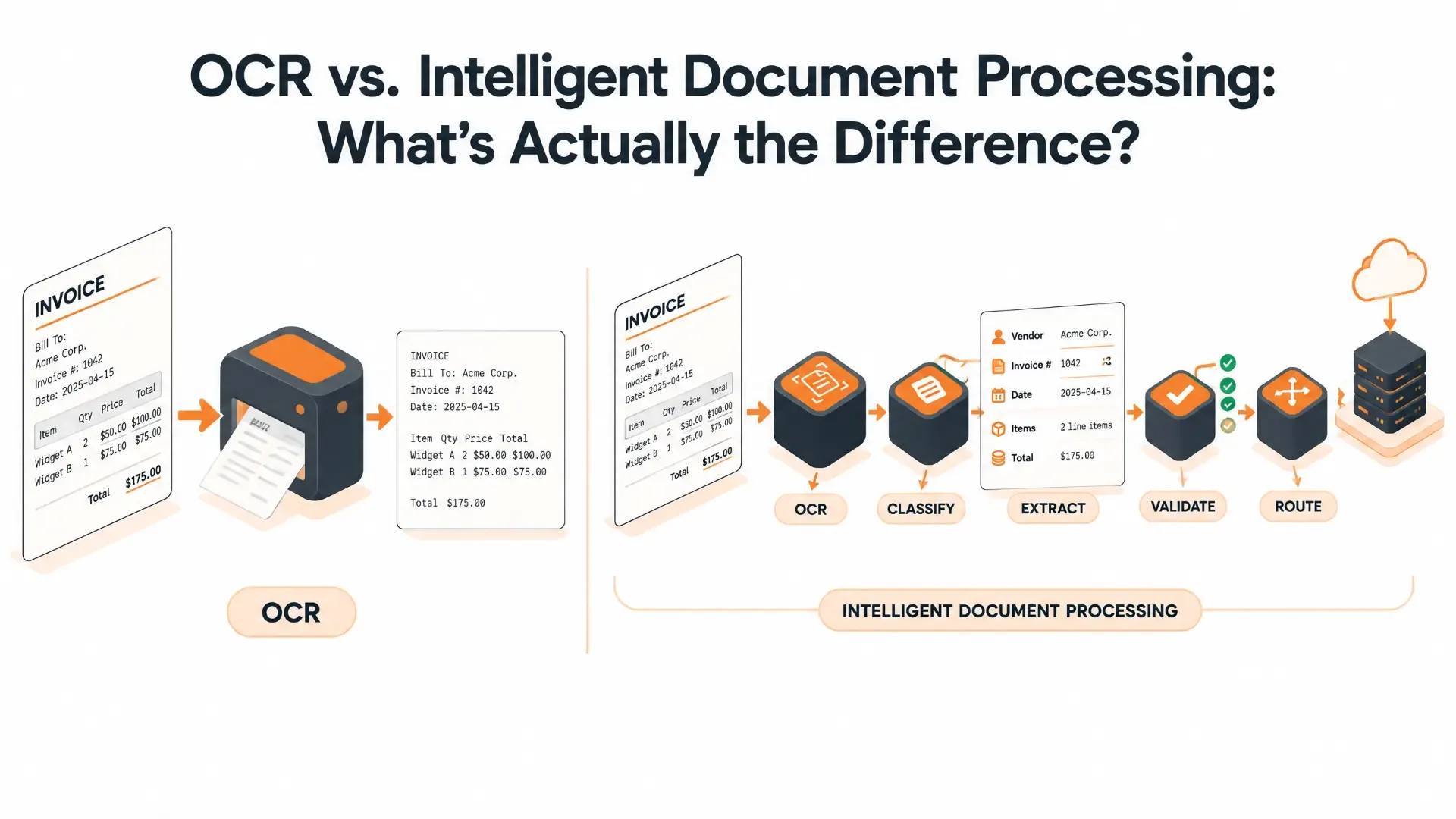
OCR vs. Intelligent Document Processing: What's Actually the Difference?
“OCR” and “intelligent document processing” get used almost interchangeably in a lot of sales pitches, which is a little misleading, because they're not really competing with each other. One is a piece of the other. Understanding that difference matters more than it sounds like it should, because it's the difference between a tool that reads your documents and one that actually understands them.
Here's what each one actually does, where the line between them sits, and how to tell which one your business genuinely needs.
TL;DR
- OCR turns an image of text into digital, searchable text. That's the whole job—it doesn't know what the text means.
- Intelligent document processing (IDP) uses OCR as one step in a bigger pipeline: it also classifies the document, pulls out specific named fields, checks whether those fields make sense, and hands over structured data instead of a wall of raw text.
- OCR is genuinely enough for simple, consistent, high-volume documents. IDP earns its cost on documents that vary—different vendors, different layouts, handwriting, and tables that shift from one document to the next.
- Most real-world systems end up using both together, not picking one forever—OCR handles the easy, high-volume cases while AI steps in only where it's actually needed.
What OCR Actually Does
Optical character recognition takes an image—a scanned page, a photographed receipt, or a PDF that's really just a picture of text—and converts it into machine-readable characters. It's been around since the 1950s in various forms, and the core idea hasn't changed much: look at the shapes on the page, match them against known letter and number patterns, and output text.
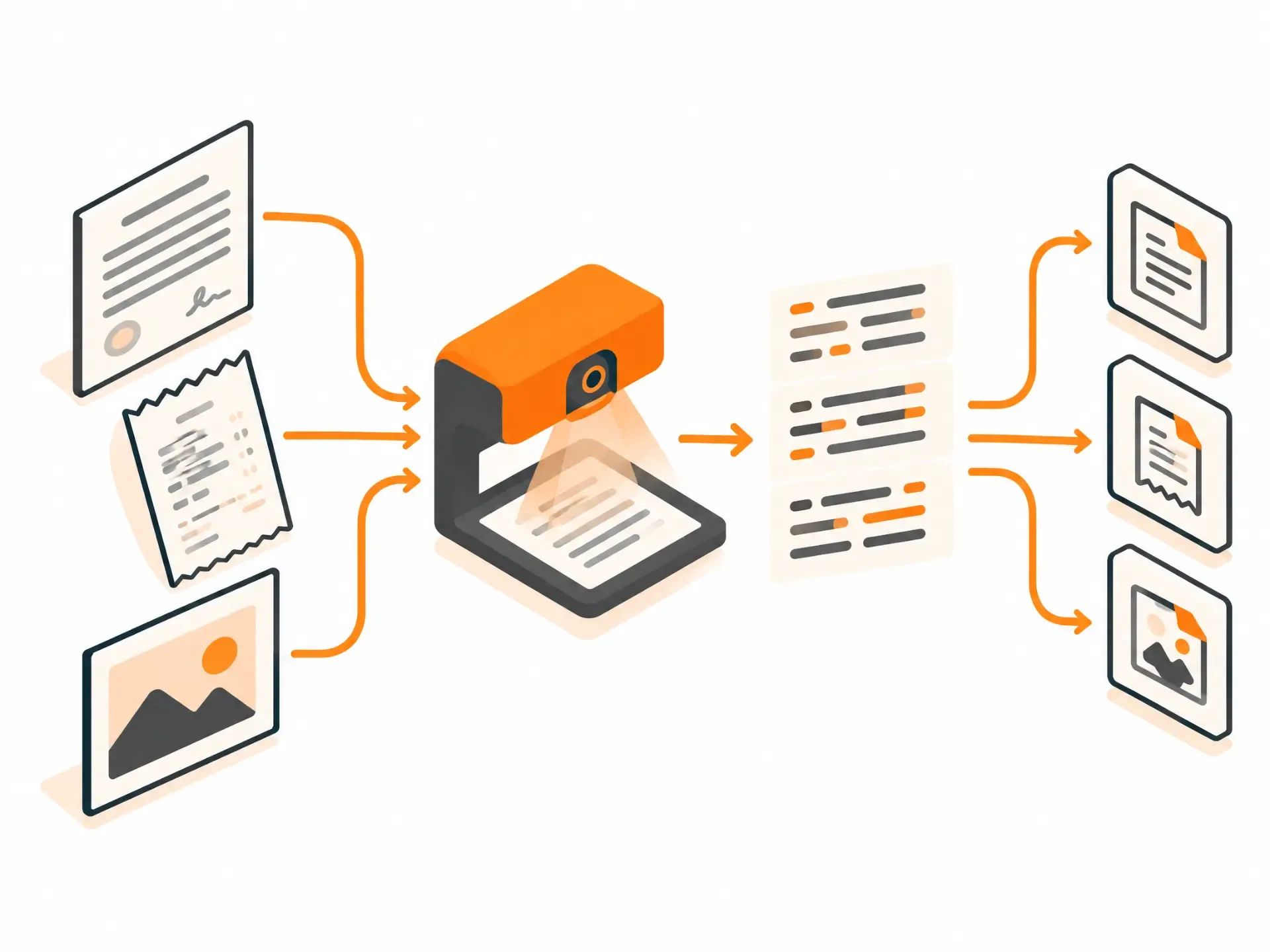
That's genuinely useful. It's what makes a scanned contract searchable or lets you copy text out of a photographed whiteboard. But OCR has no idea what any of that text means. It can read “INV-2026-0451” perfectly and still have no idea that's an invoice number rather than a random string of characters. It doesn't know that the number under “Total” is the amount owed, or that a name next to “Bill To” is the customer rather than the vendor. It reads. It doesn't understand.
What Intelligent Document Processing Adds
Intelligent document processing takes OCR's raw output and does the part OCR was never built to do: figuring out what the text actually represents. It classifies the document type, pulls out specific fields by name rather than just dumping everything into one block, checks whether the values it found actually make sense together—does the sum of the line items match the stated total?—and flags anything it isn't confident about instead of silently guessing.
The practical difference shows up clearest on messy, inconsistent documents. Feed OCR an invoice with a slightly unusual table layout and you'll likely get text with the structure scrambled—row and column data jumbled together in a way that's technically “read correctly” but practically useless without a person cleaning it up. IDP is built specifically to hold onto that structure: which value came from which cell, in what order, and under which label.
Side by Side
| OCR | Intelligent Document Processing | |
|---|---|---|
| What it produces | Raw text from an image | Structured, labeled data: field names and values |
| Understands document layout | No | Yes—tables, columns and reading order |
| Handles handwriting | Poorly, if at all | Reasonably well, depending on the tool |
| Adapts to new document formats | No—needs retraining per template | Yes, to varying degrees, without manual reconfiguration |
| Validates what it extracted | No | Often—flags values that don't add up |
| Best for | Simple, consistent, high-volume documents | Varied formats and unstructured or semi-structured documents |
| Relative cost | Lower | Higher, though often still cheaper than manual entry |
Which One Does Your Business Actually Need?
How consistent are your documents?
If everything coming through follows the same layout—the same vendor, the same government form, or the same internal template—plain OCR paired with some fixed parsing rules will likely do the job without the extra cost of a full IDP system. The moment documents start coming from many different sources, each formatted differently, that approach starts breaking down fast.
Do you need the data, or just the text?
If the goal is just making old paper archives searchable, OCR alone is genuinely enough—you don't need field-level understanding to search a digitized library. If the goal is feeding extracted values directly into another system, such as accounting software, a CRM, or a claims platform, without someone retyping them, that's exactly the gap IDP is built to close.
How much manual cleanup are you doing right now?
If your team is currently processing documents with OCR and then manually fixing, re-keying, or double-checking the output before it's usable, that manual step is the actual cost of not using IDP—it's just hidden in someone's time rather than showing up as a line item.
It's Rarely All-or-Nothing
Most real systems don't pick one and stick with it forever. A common, sensible pattern is to run everything through OCR first since it's fast and cheap, then route only the documents that need deeper understanding—unusual layouts, handwriting, or anything the simple parsing rules choke on—through the more advanced IDP or AI-assisted step.
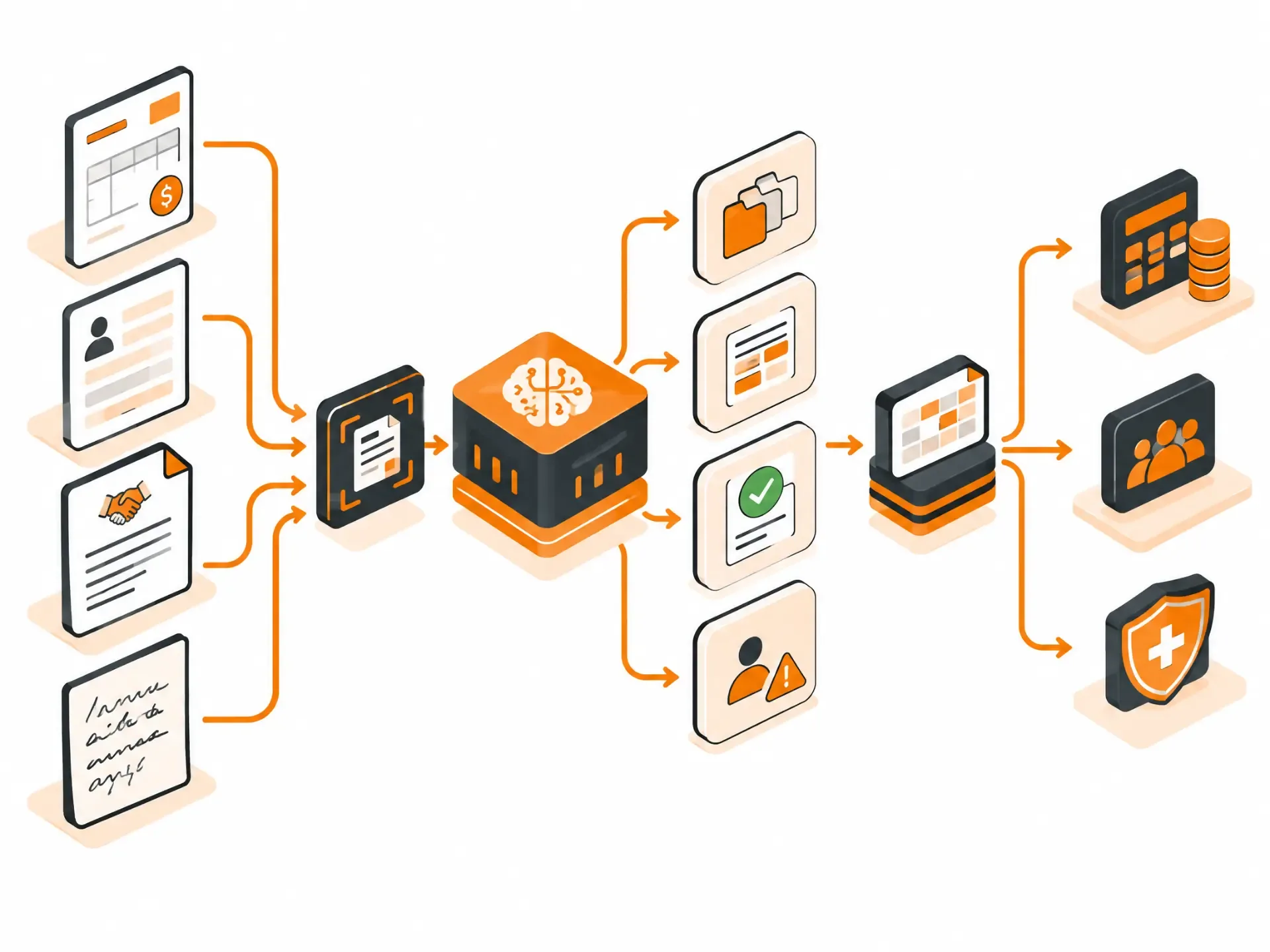
That keeps costs down on the easy 80% of documents while still handling the messy remainder properly, rather than either overpaying for AI on every simple form or underserving the complicated ones with plain OCR.
This is the kind of system our Intelligent Data Processing team builds—not just plugging in an off-the-shelf OCR tool, but designing the pipeline around which documents actually need which level of processing. Once the data is extracted, it usually needs to go somewhere: into an accounting system, a CRM, or a case-management platform. That's a related but separate question covered in our guide to API integration vs. custom development.
Frequently Asked Questions
Is intelligent document processing just OCR with a different name?
No. OCR is one component inside an IDP system, not a rebrand of it. OCR converts an image to text; IDP takes that text—or parses a digital document directly—and adds classification, field extraction, and validation on top.
Can OCR handle handwritten documents?
Generally, not well. Traditional OCR was built for printed characters and struggles significantly with handwriting. IDP systems that incorporate more advanced AI models handle handwriting considerably better, though accuracy still varies with legibility.
How accurate is IDP compared to plain OCR?
It depends heavily on document type and quality, so treat any single number with some skepticism. In general, OCR is quite accurate at the character level on clean, printed text, but that accuracy doesn't translate into usable structured data on its own. IDP's real advantage shows up in field-level accuracy on varied or complex documents, where plain OCR output would need significant manual correction anyway.
Do I need IDP if I only process a few documents a month?
Probably not, unless those few documents are highly varied and complex. IDP's cost tends to be justified by either high volume or high document complexity—or both. For a small, consistent volume of simple documents, manual review or basic OCR is often perfectly reasonable.
Does IDP eliminate the need for human review entirely?
No, and it shouldn't try to. Good IDP systems flag low-confidence extractions for a person to check rather than guessing silently. The goal is reducing manual work to the genuinely uncertain cases, not removing oversight altogether—especially for anything financial, legal, or otherwise high-stakes.
What industries benefit most from IDP over plain OCR?
Anywhere documents arrive in varied formats from many different sources tends to benefit most. Insurance claims, healthcare records, accounts payable teams handling invoices from hundreds of vendors, legal document review, and logistics paperwork are common examples.
Where App-Scoop Fits In
If your business is buried in manual data entry from documents—invoices, forms, claims, or contracts—the right fix usually isn't “more OCR.” It's a properly designed extraction pipeline that matches the right level of processing to each document type. That's what our Intelligent Data Processing team builds. Get in touch and we'll take a look at what you're actually dealing with before recommending anything.
Have a project in mind?
Let's talk about how we can build it. Free consultation, no obligation.
Get a Free Consultation