
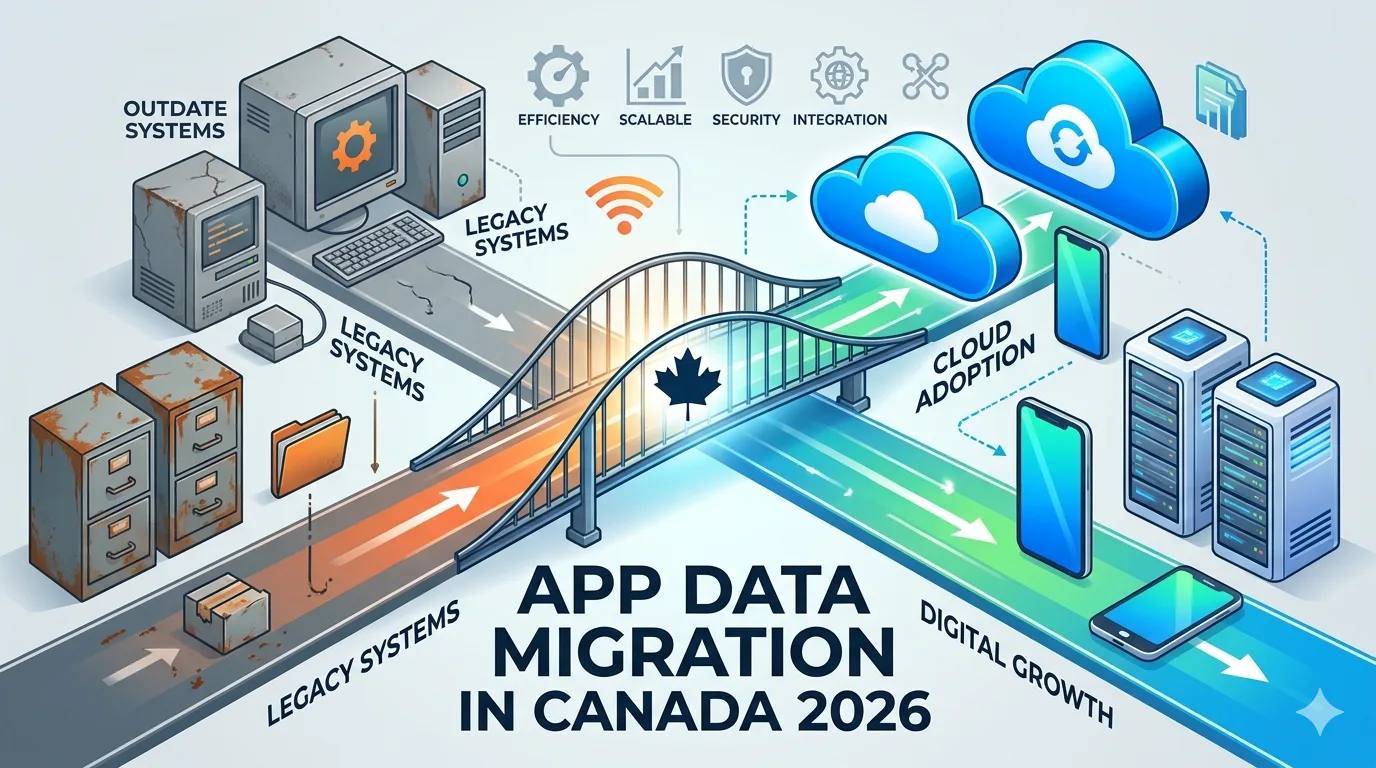
App Data Migration in Canada: Legacy to Cloud Guide (2026)
Many Canadian businesses still rely on outdated software systems built years ago. While these legacy systems may still function, they often:
- Slow down operations
- Limit scalability
- Increase maintenance costs
- Create security risks
- Restrict integration with modern tools
That’s why app data migration in Canada has become a critical part of digital transformation strategies in 2026.
In this guide, we’ll explain:
- What app data migration means
- When businesses should migrate
- Types of migration strategies
- Risks and challenges
- Costs in Canada
- Best practices for a smooth transition
What Is App Data Migration?
App data migration is the process of transferring data from:
- Legacy software systems
- On-premise servers
- Old databases
- Outdated applications
…to modern cloud-based or upgraded systems.
This process includes:
- Database restructuring
- Data cleaning
- Format transformation
- Security validation
- Testing and deployment
It’s not just “copy-paste” — it’s a structured technical process.
Why Canadian Businesses Are Migrating in 2026
🚀 1. Cloud Adoption Growth
More companies are moving to AWS, Azure, or Google Cloud for scalability.
🔐 2. Security Concerns
Legacy systems often lack modern encryption and compliance support.
💰 3. High Maintenance Costs
Old infrastructure becomes expensive to maintain.
📈 4. Scalability Issues
Legacy systems struggle during high traffic or rapid growth.
🔗 5. Integration Limitations
Modern tools require API-ready systems.
Types of App Data Migration
Understanding the migration type helps define your strategy.
1️⃣ Database Migration
Moving data from one database to another (e.g., MySQL to PostgreSQL).
2️⃣ Application Migration
Moving entire applications from on-premise to cloud.
3️⃣ Cloud Migration
Shifting infrastructure and data to cloud platforms.
4️⃣ Storage Migration
Transferring data between storage systems.
5️⃣ Business Process Migration
Upgrading systems while improving workflows.
Legacy System Migration: Key Challenges
Data migration isn’t risk-free. Common challenges include:
- Data corruption
- Downtime risks
- Compatibility issues
- Security vulnerabilities
- Poor data quality
- Loss of historical records
Without proper planning, migration can disrupt operations.
Safe App Data Migration Process (Step-by-Step)
Here’s a proven framework Canadian businesses follow:
Step 1: Assessment & Audit
- Identify current system limitations
- Evaluate database structure
- Analyze data quality
- Map dependencies
Step 2: Define Migration Strategy
Choose one:
- Lift-and-shift (minimal changes)
- Re-platforming (moderate optimization)
- Full re-architecture
Step 3: Data Cleaning & Preparation
- Remove duplicate records
- Standardize formats
- Validate data integrity
- Archive unnecessary data
Clean data ensures smoother migration.
Step 4: Build Migration Environment
- Set up cloud infrastructure
- Configure databases
- Establish security protocols
- Prepare backup systems
Step 5: Test Migration
Before full deployment:
- Run pilot migration
- Validate data accuracy
- Test system performance
- Identify bugs
Testing reduces major risks.
Step 6: Final Deployment
- Execute full migration
- Monitor in real time
- Verify data integrity
- Conduct post-migration audit
Cost of App Data Migration in Canada (2026)
Migration costs vary depending on system complexity.
| Project Size | Estimated Cost (CAD) |
|---|---|
| Small Business App | $15,000 – $35,000 |
| Mid-Level System | $35,000 – $80,000 |
| Enterprise Migration | $80,000 – $200,000+ |
Cost depends on:
- Data volume
- System complexity
- Downtime requirements
- Compliance standards
- Security needs
- Cloud infrastructure
Compliance & Security in Canada
When performing cloud data migration in Canada, businesses must ensure:
- Data encryption (at rest & in transit)
- Secure API integration
- Compliance with privacy regulations
- Controlled access management
- Backup & disaster recovery planning
Security should be built into every migration stage.
Benefits of Modern Cloud-Based Apps
After successful migration, businesses gain:
⚡ Faster Performance
Cloud infrastructure scales automatically.
📊 Better Analytics
Modern systems provide real-time reporting.
🔄 Easy Integration
APIs connect seamlessly with third-party tools.
💸 Reduced Long-Term Costs
Lower hardware maintenance expenses.
📈 Scalability
Handle sudden growth without system crashes.
Common Mistakes to Avoid
- Migrating without backup
- Ignoring data cleanup
- No testing phase
- Choosing wrong cloud provider
- Underestimating downtime planning
- Not training staff post-migration
Planning is everything.
Should You Migrate Now or Later?
You should consider app data migration if:
- Your system crashes frequently
- Maintenance costs are rising
- You can’t integrate modern tools
- Your app performance is slowing down
- You plan rapid business expansion
Delaying migration often increases risk and cost later.
Final Thoughts
App data migration in Canada is more than a technical upgrade — it’s a strategic business move.
When executed correctly, migration:
- Improves security
- Enhances scalability
- Reduces long-term costs
- Future-proofs your application
In 2026, businesses that modernize early gain a major competitive advantage.
If you’re planning legacy system migration or cloud data migration, careful strategy and expert execution are essential to ensure zero data loss and minimal downtime.
Categories: Uncategorized
Have a project in mind?
Let's talk about how we can build it. Free consultation, no obligation.
Get a Free Consultation